Perhaps you've spent time researching and demoing different products and finally found one that you love. And then... nothing. Your enthusiasm has officially hit the wall called “city council expenditure approval”. It can be frustrating to feel your excitement and momentum start to stall out while trying to get city council approval for the permitting software. But, don't abandon all hope…
It's understandably frustrating to have your dream of streamlined permits delayed, but it isn't actually a negative trend. It means your legislators feel responsible to account for exactly how they're spending taxpayer dollars; which is actually a really good thing. Especially because you likely have a pretty compelling case that shows how purchasing a permitting system can actually save taxpayer money and benefit citizens.
Intrigued? Keep reading for a step-by-step guide:
Step 1: Quantify and Illustrate Pain Points
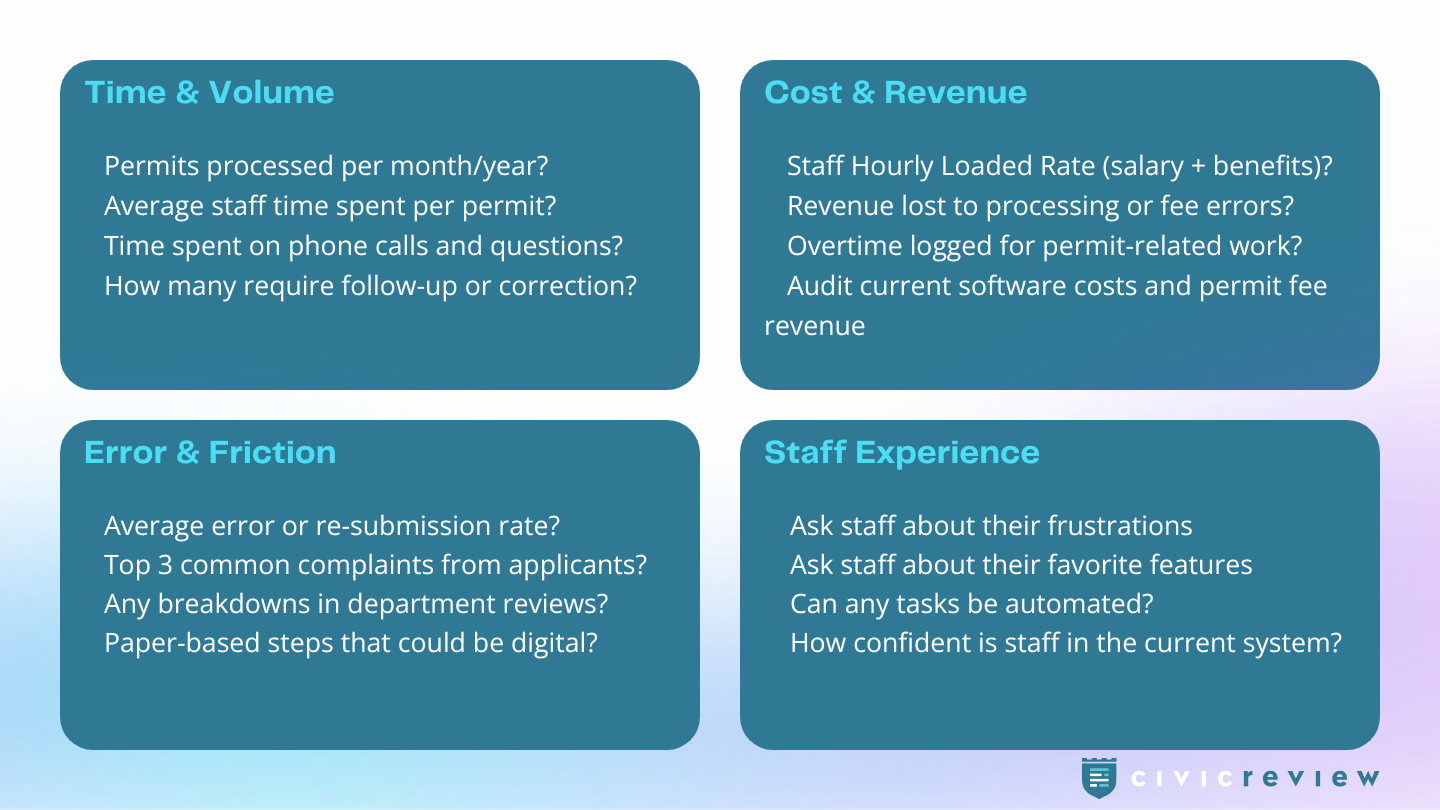
Before showing a single product feature it's vital that you set the stage by revealing the exact problems and friction points that you're hoping to resolve. But, you can't effectively do this unless you take stock of the resources that are currently going into your current system (e.g., time, budget, and staff capacity).
Now, I know you're busy and you don't have a lot of time to start a research project (which is why you're looking for software in the first place). Luckily, just a few hours of research can give you a solid foundation on which to build your case. Here's some jumping off points for you:
- Audit current systems by finding average processing time per permit, error/issue rates, and complaint & question volume
- Touch base with frontline staff, their words and experience are the most persuasive evidence
- Quantify hidden costs including overtime, rework, and lost revenue (from stalled applications or confusing fee calculations)
Step 2: Align with Organization Priorities
In addition to illustrating the current problems you're facing, you'll want to spotlight capabilities and features that align with the unique priorities of your specific organization and council. Take stock of what's important to them and look for a program that checks those boxes.
- Review any current department goals and budget cycle calendar (Timing matters: try to submit well ahead of budget season).
- Map specific features or improvements to goals within your organization (economic development, resident experience, budget efficiency)
- You know your legislators. Who's the numbers person? Who cares about resident experience? Have a little something for everyone.
Usually the organization goals are going to be similar to your hopes for your office (i.e. better user experience, simpler workflows, reduced errors, less overtime); but you have to point out the pain points that aren't meeting that standard before you can suggest a solution.
Step 3: Build Your Case
Now that you've identified existing pain points and connected program features to specific organization priorities you're ready to start putting everything together. The goal here is to concisely and clearly hit on the points and priorities you've identified.
- Shoot for a 1 page brief to help you summarize your case
- Focus on returns on the investment: staff hours saved × loaded hourly rate, error reduction, constituent-facing simplicity and benefits (after hours submission and payments)
- Cite comparable municipalities that have modernized (if you reach out to local entities, most cities are happy to share details and outcomes). Feel free to check out some case studies from some of our real customers.
PRO TIP: One important factor to consider is also the cost of inaction. If there's evidence that a permitting system will save your staff some time and money, then the cost to NOT modernize your system actually grows at an exponential rate each year.

Step 4: Structure the Presentation
Now it's time to organize your research and findings in a way that can be easily communicated in an 8-10 minute presentation to your legislative officers. The goal is simply to present them with the data and facts so they can make an informed decision.
- Open with the inefficiencies and problems you've discovered.
- Highlight program features that will apply to those problem areas and streamline processes for staff and citizens.
- Keep slides to 5-8 max; include graphs or charts if possible to help summarize data.
- Be sure to leave time at the end for questions.

Step 5: Anticipate Questions
Providing a concise briefing document in the meeting packet can give council members a chance to prepare and do some research of their own. But it's still likely that council members will have questions for you during and after the presentation. Be more prepared for these by jotting down your answers to some of the common questions below.

Getting council buy-in isn't just about having a great product (though that does help ☺️) — it's really about showing up prepared. The steps above will help you to walk into that meeting prepared with data and a clear story of where you've been and where you hope to go.
Also, if you'd like a little backup, we're happy to join your presentation virtually or demo the platform directly to your legislative team.